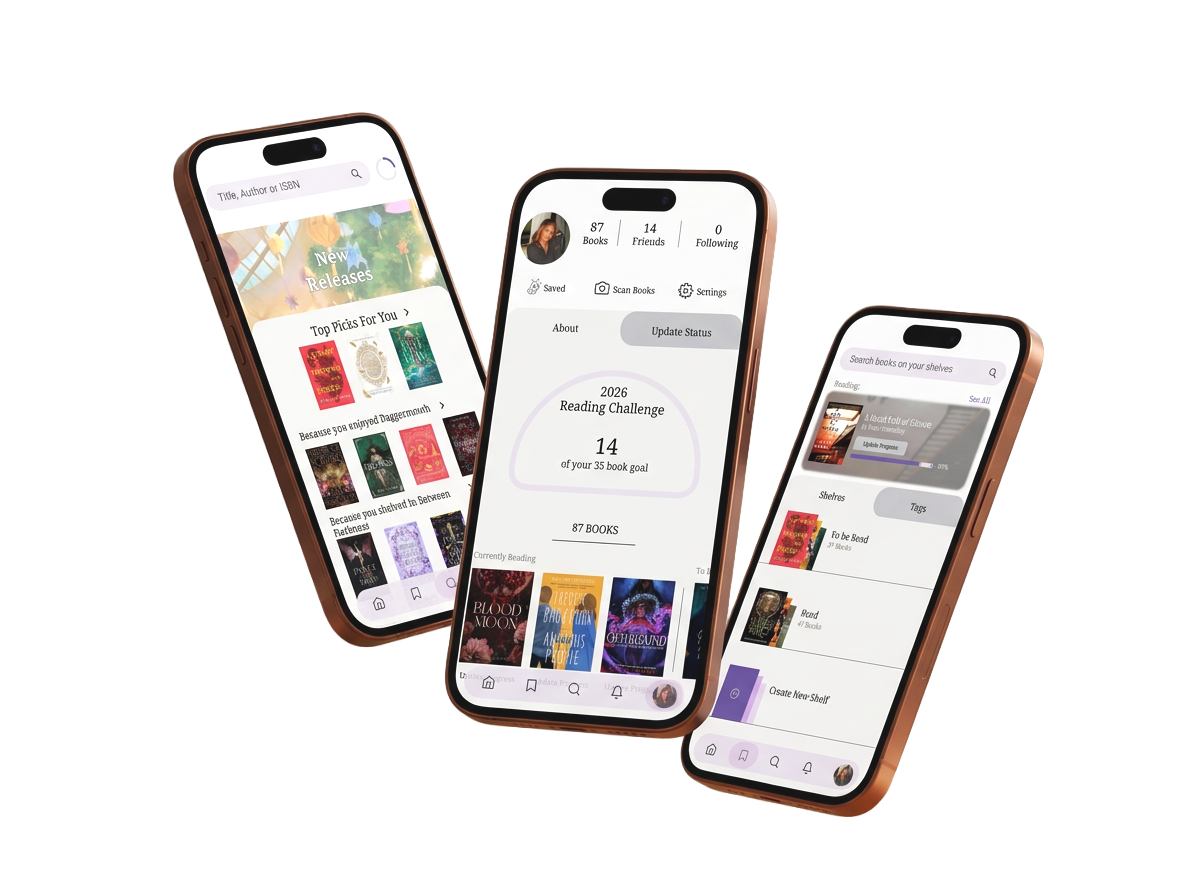
Goodreads Redesign
Redesigning Goodreads to create a simpler, more connected reading experience—from discovery to progress.
UX/UI Case Study
I explored how Goodreads could create a simpler, more connected reading experience through user research and interface design.
THE OPPORTUNITIES
01 CLUTTER & REDUNDANCY
Overlapping content and pathways can make the experience feel busy.
03 ORGANIZATION
Managing books, tags, shelves, and reading progress can feel fragmented.
02 DISCOVERY
Finding relevant books and new releases could be more focused.
04 SOCIAL CONNECTION
Friend activity and social interaction could be easier to access.
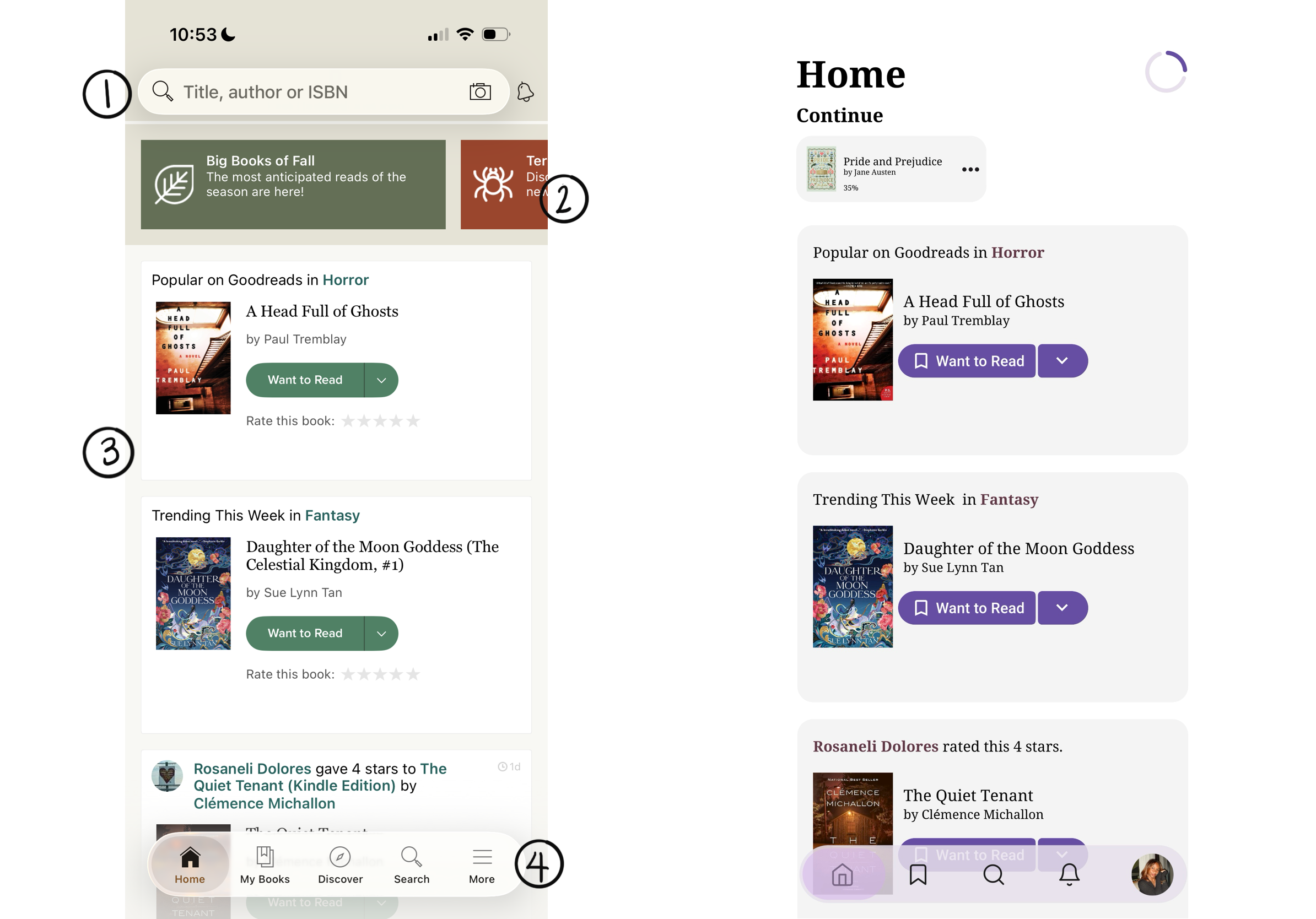
01 CLUTTER & REDUNDANCY
“Overwhelming, TOO much on the screens, complex.”
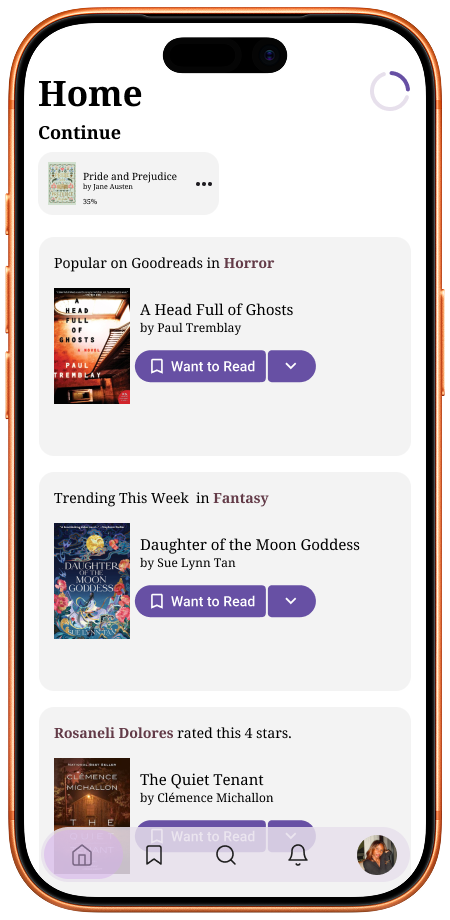
Personalized the Home experience around reading progress, recommendations, and friend activity.
Removed redundant discovery content to create a focused experience.
Introduced contextual rating prompts when a book is marked as read.
Simplified navigation to prioritize core user needs.
02 ORGANIZATION
“Seeing the percentage increase is similar to seeing the pages decrease with a physical book.”
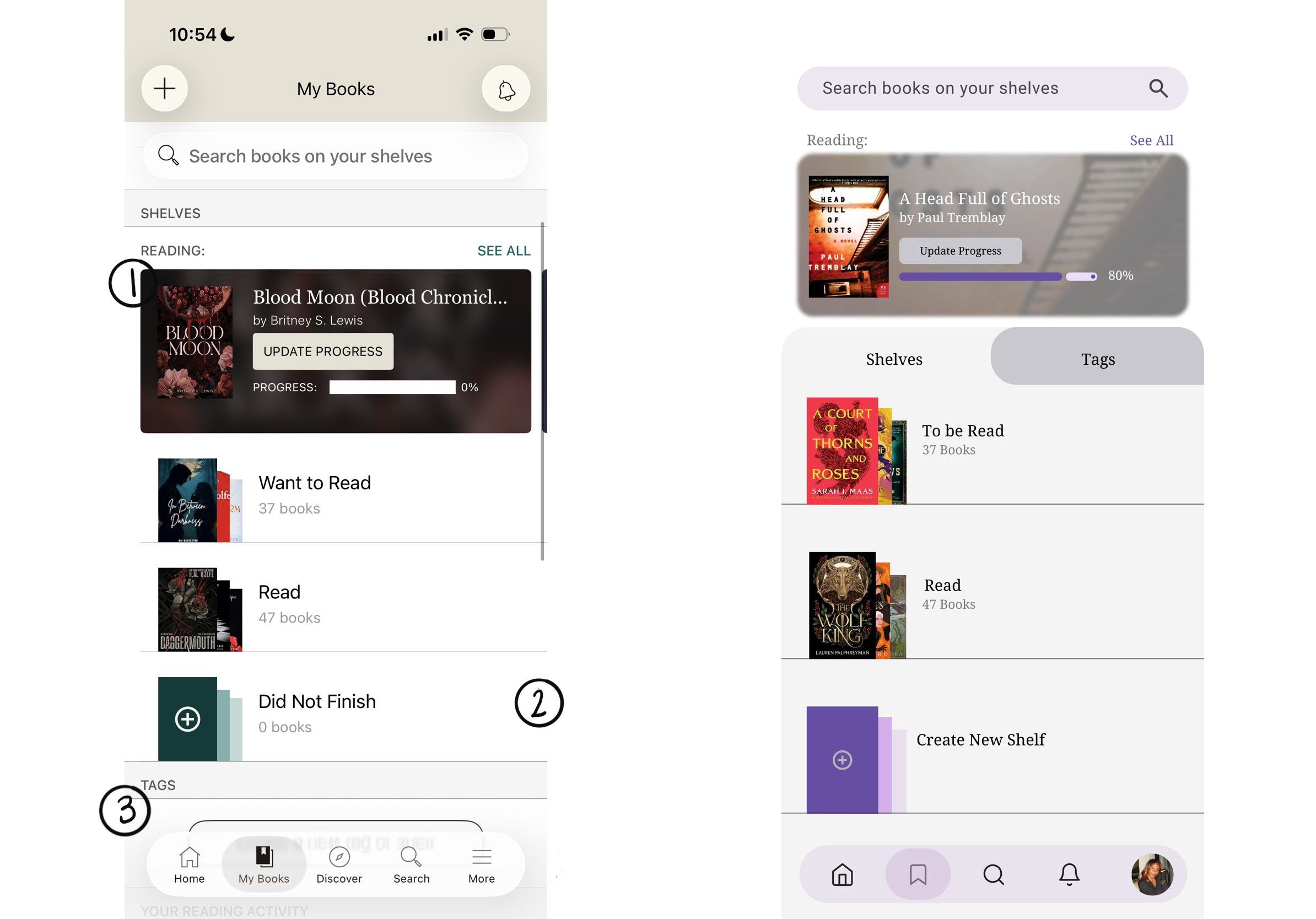
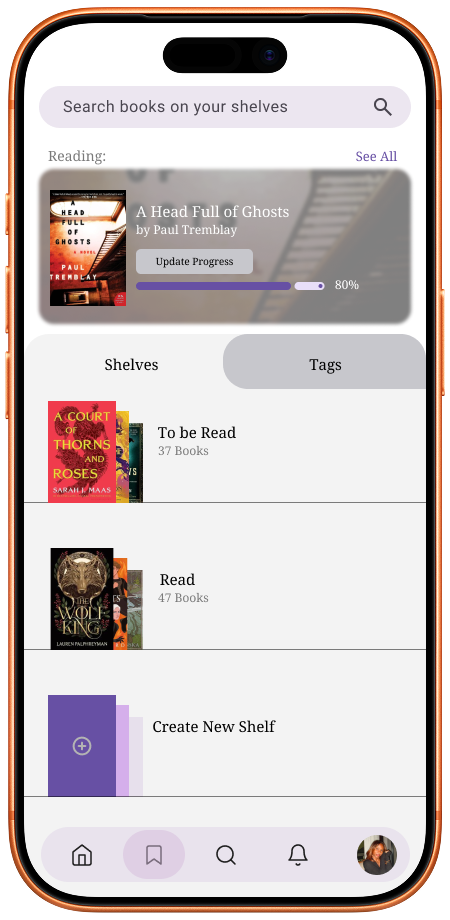
Enhanced reading progress with a more interactive progress indicator.
“I like to see my books documented and it helps by having something to refer to.”
Elevated Tags into a dedicated tab, giving users a clearer way to categorize and navigate their books.
Introduced custom shelf creation, allowing users to personalize how they organize their library.
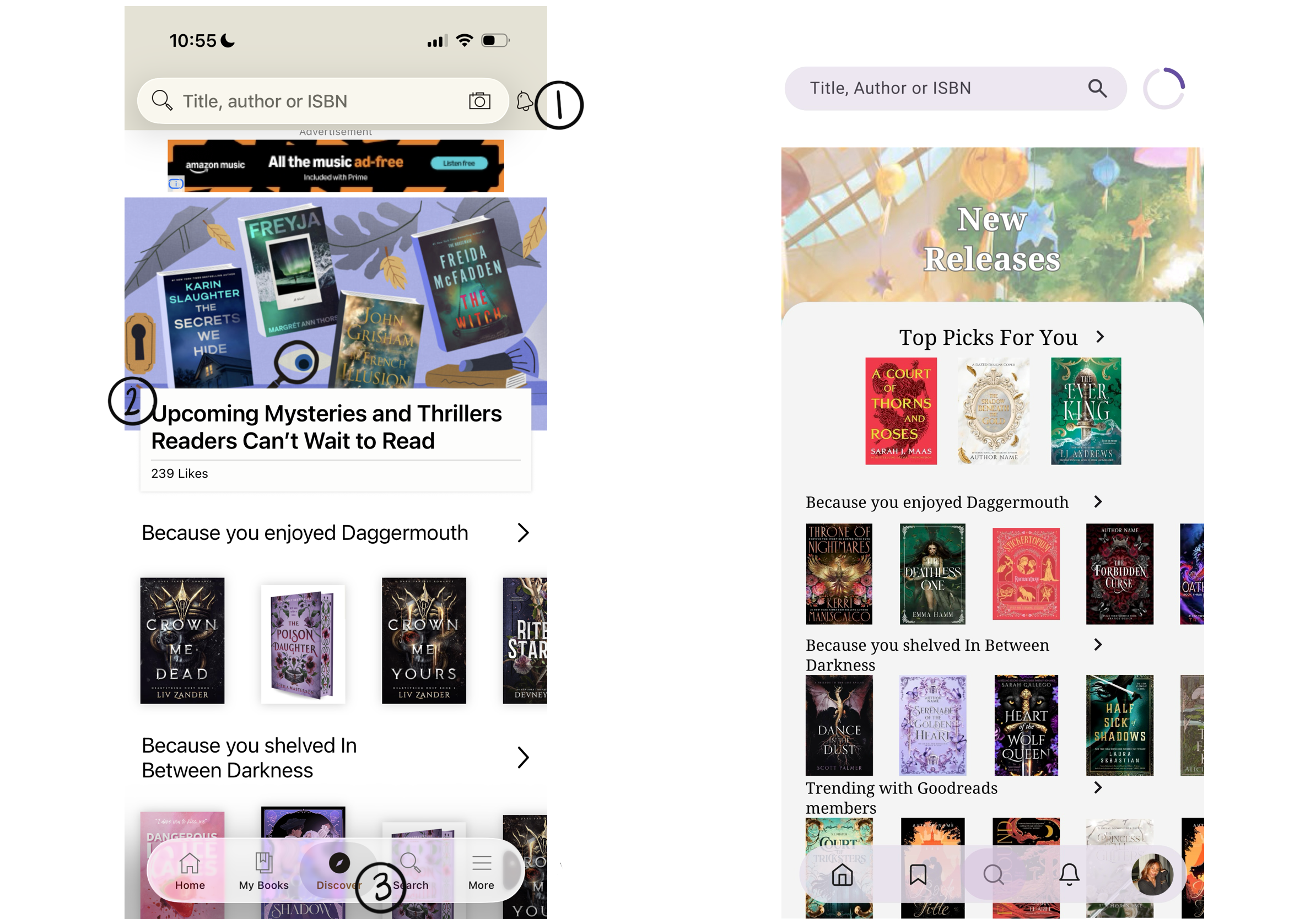
03 DISCOVERY
“Typically reads books related to or has a connection to previous read.”
Introduced a Reading Progress Tracker to replace notifications and prioritize current read progress.
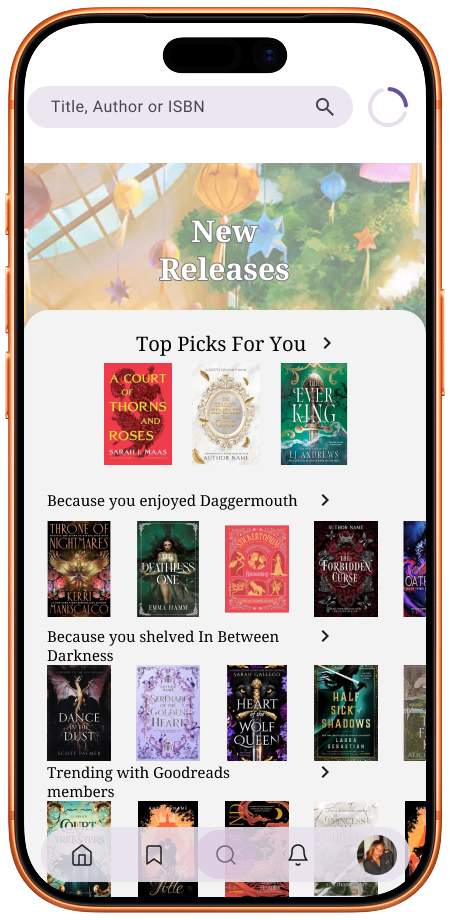
Replaced Upcoming with New Releases and personalized Top Picks For You to support book discovery.
Unified Discovery and Search into a single navigation tab
04 SOCIAL CONNECTION
“Want to see what everyone else is reading, have easier access to find friends and see more updates.”
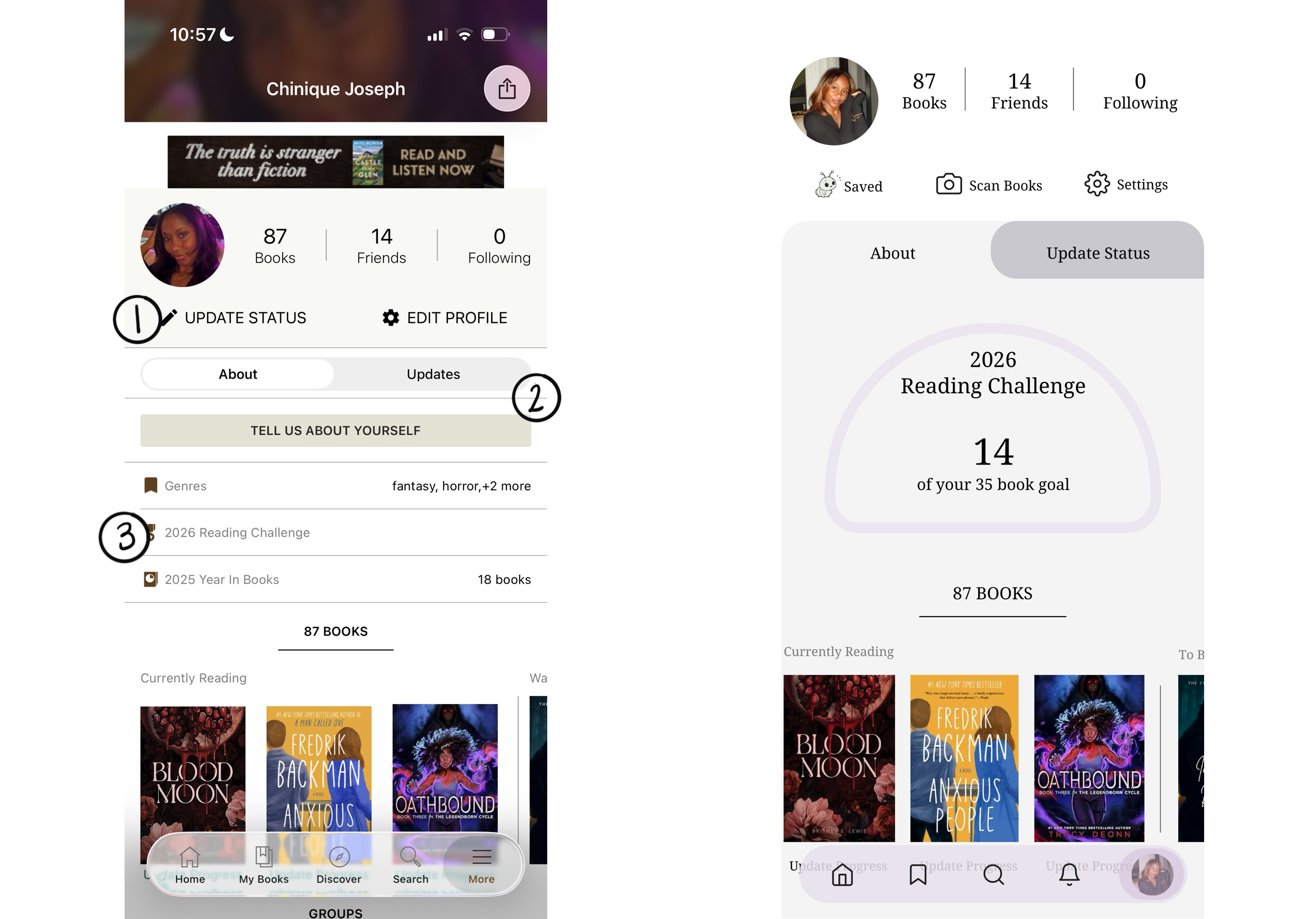
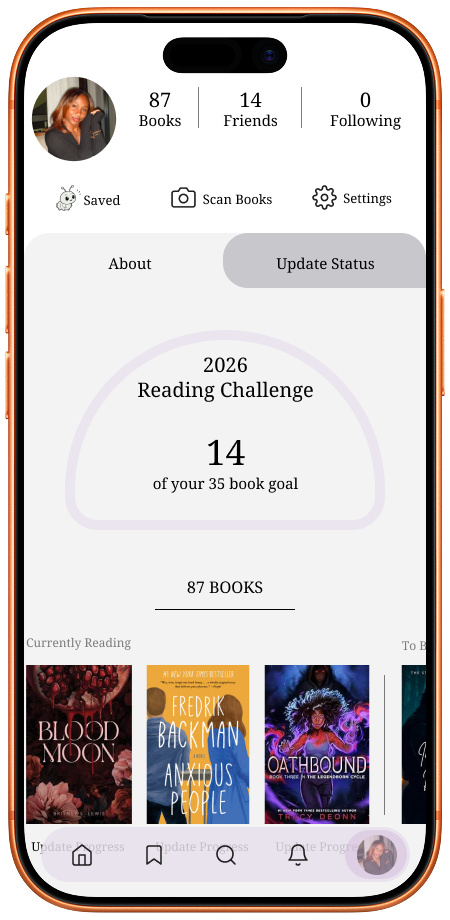
Introduced a dedicated notifications tab to make interactions with friends more accessible and create an engaging reading experience.
Combined Update Status and Updates to create an interactive space for engaging with friends.
Made Reading Challenge the focal point of the profile to highlight reading goals and progress.
Introduced a dedicated Notifications tab to make friend activity easier to access.
Save a Quote - Design Opportunity
User Insight
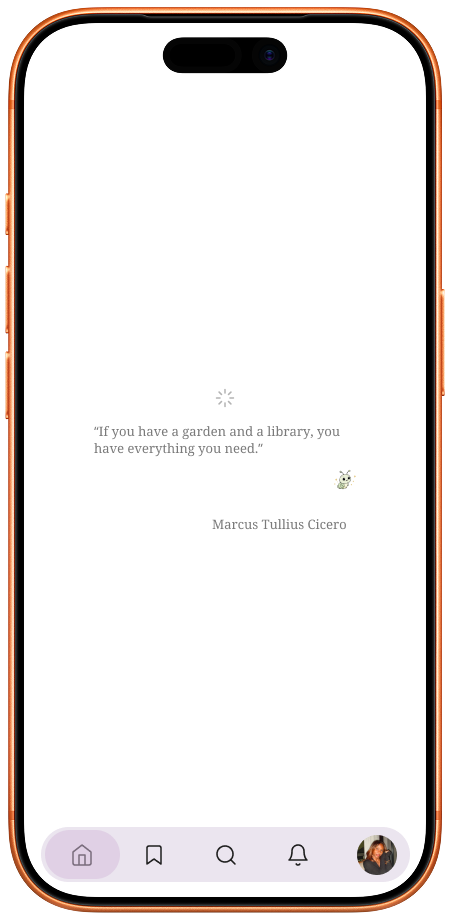
During interviews, a participant stated “Before the app fully loads I love catching the quotes that appear”.
Design Opportunity
This inspired the idea of giving users a dedicated place to save and revisit quotes they discover while using good reads.
Designing the Interaction
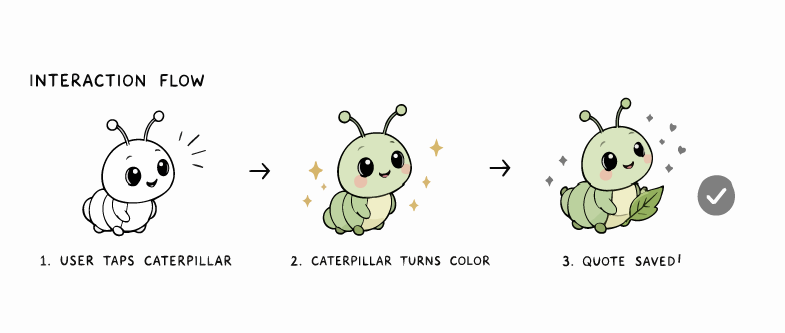
I created an original caterpillar character to represent the Goodreads experience and incorporated it into the quote-saving interactions, giving the feature a more playful and memorable personality.
User taps the caterpillar to save the quote.
The caterpillar changes color to provide immediate visual feedback.
A confirmation state lets the user know the quote was successfully saved.
Goodreads Redesign
Bringing the redesigned experience together to create a more intuitive, personal, and connected way to read.